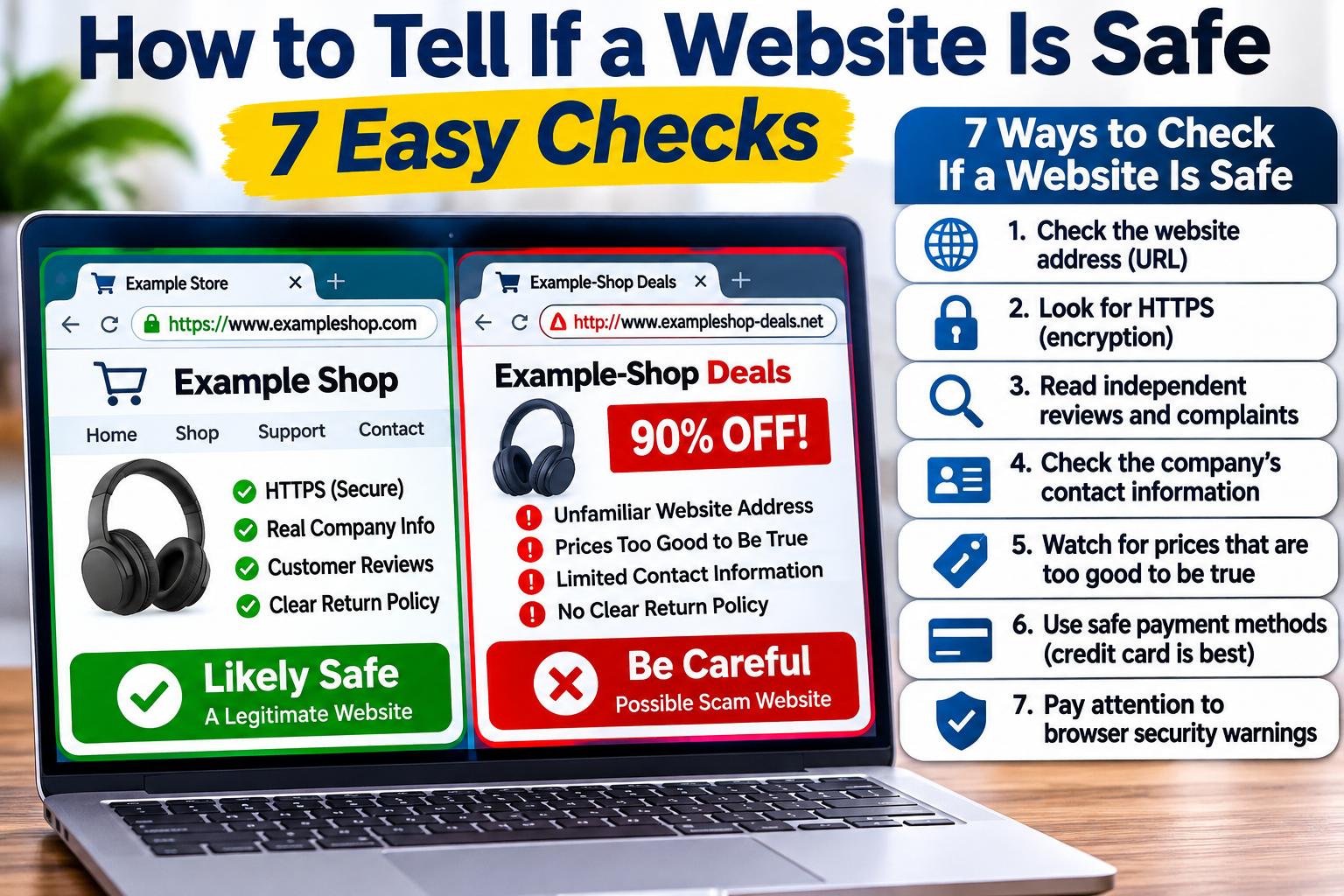
How to Tell If a Website Is Safe (7 Easy Checks)
Updated November 18, 2026 | Reading time: approximately 8 minutes
You find a website offering an incredible deal on something you’ve been wanting to buy. The pictures look professional, the prices are attractive, and there’s even a secure-looking symbol near the checkout button.
But can you trust it?
Knowing how to tell if a website is safe can help you avoid fake online stores, dangerous links, and websites designed to steal your money or personal information.
Scam websites aren’t always easy to recognize. Some copy the appearance of familiar stores, display fake customer reviews, and use web addresses that look almost identical to legitimate businesses.
Fortunately, there are several simple checks you can make before entering a password, providing credit card information, or buying anything online.
Table of Contents
Here’s how to spot potential problems.
How to Tell If a Website Is Safe: 7 Easy Checks
1. Check the Website Address Carefully
The website address, also called the URL, is one of the first things you should examine.
Scammers sometimes create addresses that resemble well-known companies.
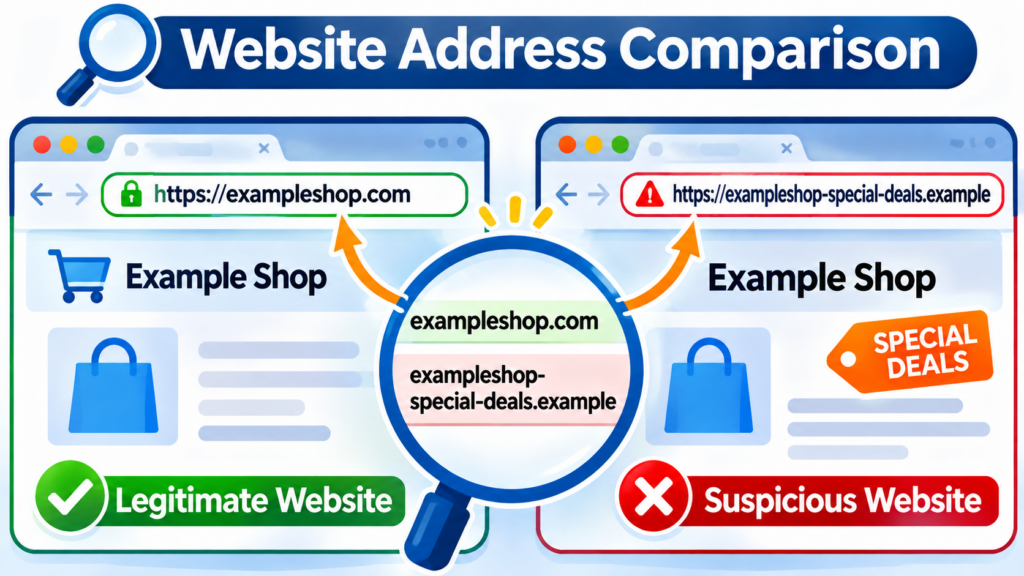
For example, imagine a store called Example Shop with the legitimate address:
exampleshop.com
A suspicious imitation might use:
exampleshop-special-deals.example
The second address is a fictional example, but it demonstrates how an unfamiliar website can use a recognizable name to appear trustworthy.
Watch for:
- Misspelled company names
- Extra words added to familiar brand names
- Unusual domain endings
- Unexpected addresses when clicking advertisements
- Links that lead somewhere different from what you expected
What to do: If you’re trying to visit a familiar business, type its known website address into your browser or use its official app rather than following an unexpected link.
Remember that a website can have a professional-looking address and still be fraudulent.
2. Look for HTTPS, but Don’t Trust It Alone
You may have heard that a safe website should begin with HTTPS.
HTTPS means the connection between your browser and the website is encrypted.
This helps protect information while it’s being transmitted.
However, HTTPS does not prove that a website is legitimate.
Scammers can create websites with encrypted connections, too.
Most modern browsers display information about the connection through an icon near the website address. The exact symbol varies by browser.
What to do:
- Look at the complete website address.
- Check whether the connection uses HTTPS.
- Pay attention to browser security warnings.
- Continue checking the site’s identity and reputation.
If your browser warns that a website is dangerous or its connection is not private, don’t enter passwords or payment information.
3. Search for Reviews and Complaints Outside the Website
Before purchasing from an unfamiliar online store, search for information about the business elsewhere.
For example, try searching Google for:
- Example Store reviews
- Example Store complaints
- Example Store scam
Replace “Example Store” with the actual company name.
Read reviews from several independent sources.
Don’t rely entirely on testimonials displayed on the store’s own website.
Some scam websites publish invented reviews or misleading star ratings.
What to look for:
- Reports of orders never arriving
- Customers receiving different products than advertised
- Difficulty obtaining refunds
- Complaints about unauthorized charges
- Repeated problems contacting customer support
Important: A lack of reviews doesn’t automatically mean a website is fraudulent. New legitimate businesses may have little online history.
However, if you’re unable to verify an unfamiliar seller, consider purchasing from a more established retailer.
4. Check the Company’s Contact Information
A legitimate online business should generally provide a reasonable way for customers to contact it.
Look for:
- A customer service email address
- A phone number or contact form
- A business name
- Shipping information
- Return and refund policies
Be cautious if the only contact method is a generic form with no other business information.
You can also search independently for the company’s name and contact details.
What to do: If you’re considering an expensive purchase, contact the seller with a simple question before ordering.
A working phone number or professional-looking address doesn’t guarantee legitimacy, but missing or contradictory information is a reason to investigate further.
5. Be Suspicious of Prices That Seem Too Good to Be True
Scammers often attract shoppers by advertising expensive products at unusually low prices.
Imagine seeing a brand-new laptop normally priced at $900 advertised for $79.
That’s a reason to investigate before buying.
Other warning signs include:
- Huge discounts on nearly every product
- Countdown timers pressuring you to order
- Claims that only one item remains
- Unbelievably cheap brand-name merchandise
- Social media advertisements promoting unfamiliar stores
Some legitimate businesses offer steep discounts, so price alone isn’t proof of a scam.
What to do: Compare the price with established retailers and research the seller independently.
If the deal seems unbelievable, don’t rush into purchasing.
6. Examine the Payment Methods
How a website asks you to pay can reveal important warning signs.
Be especially cautious when an unfamiliar seller insists on payment through:
- Gift cards
- Cryptocurrency
- Wire transfers
- Direct payments to individuals
- Payment apps without appropriate buyer protections
These payment methods may make it difficult to recover your money.
For online shopping, credit cards generally provide stronger protections when merchandise never arrives or a charge is incorrect.
Before entering payment information, check the seller’s reputation and make sure the checkout page uses an encrypted connection.
Remember: Even a website that accepts credit cards can be fraudulent. A familiar payment logo isn’t proof that a store is safe.
7. Look for Browser Warnings and Other Red Flags
Modern browsers include security features that can warn you about dangerous websites.
For example, Google Safe Browsing helps identify sites associated with phishing, malware, and other threats.
You can also use Google’s Safe Browsing Site Status tool to check whether a website has been flagged.
Visit:
https://transparencyreport.google.com/safe-browsing/search
Enter the website address you want to check.
Important: A website that isn’t flagged by Google isn’t necessarily safe. New scam sites may not have been detected yet.
Other warning signs include:
- Pop-ups claiming your computer is infected
- Unexpected requests to download software
- Demands to call a supposed technical support number
- Requests for passwords or security codes
- Pressure to act immediately
If you encounter these warnings, close the page and verify the information through a trusted source.
Example: How to Spot a Fake Online Shopping Website
Imagine discovering a website advertising a popular tablet for $49 when established retailers charge several hundred dollars.
The website has attractive product photos and a large banner saying:
TODAY ONLY — 90% OFF!
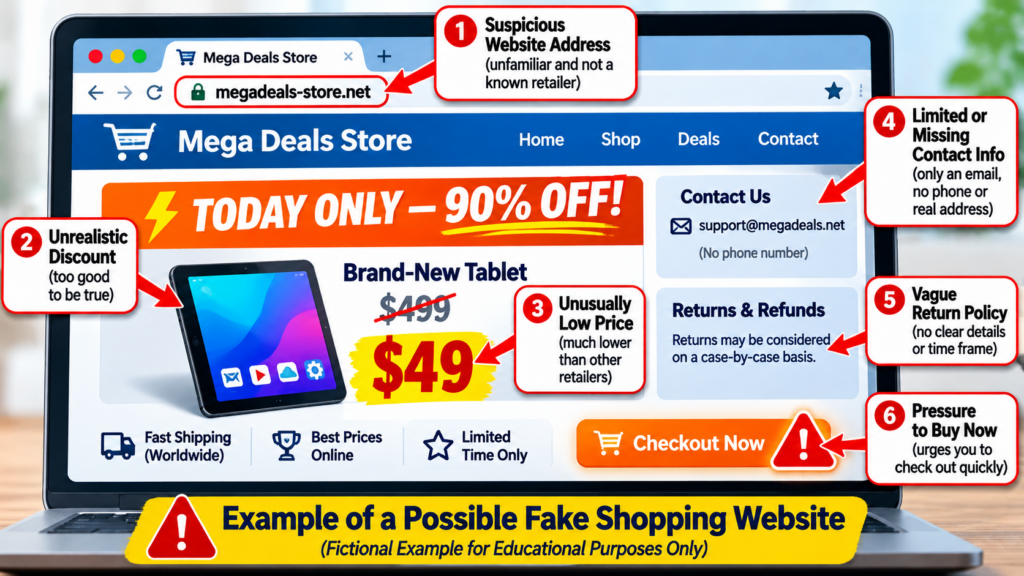
Before buying, you notice several problems:
- The website address contains an unfamiliar variation of a popular store’s name.
- The company provides no verifiable contact information.
- The return policy is vague.
- Independent searches reveal complaints about missing orders.
- The seller insists on payment through a transfer to an individual.
These warning signs strongly suggest that the website should not be trusted.
This is a fictional example created for educational purposes.
The safest choice is to leave the website and purchase from a seller you can independently verify.
How to Check a Suspicious Website Before Buying
If you’re unsure whether a website is legitimate, follow this quick checklist.
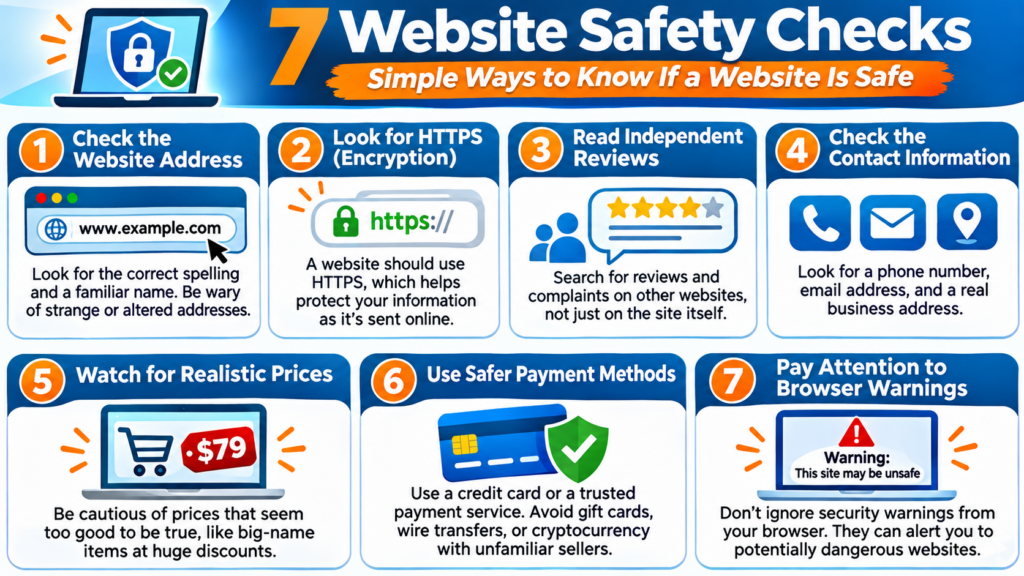
- Read the website address. Check for misspellings and unfamiliar domains.
- Search for independent reviews. Look for complaints about the company and its exact website address.
- Check the seller’s contact information. See whether you can independently verify the business.
- Review shipping and return policies. Make sure you understand the terms.
- Compare prices. Be cautious of unusually large discounts.
- Examine payment methods. Avoid sellers that insist on hard-to-recover payments.
- Pay attention to browser warnings. Don’t ignore alerts about unsafe websites.
No single check guarantees that a website is safe. Look at the overall picture before trusting an unfamiliar seller.
What If You’ve Already Entered Information on a Scam Website?
If you think you’ve shared information with a fraudulent website, the next steps depend on what you provided.
If You Entered a Password
Go directly to the legitimate website or app and change the password.
If you used the same password elsewhere, change it on those accounts as well.
Enable two-factor authentication and review account activity for unfamiliar changes.
If You Entered Credit Card Information
Contact your card issuer immediately using the phone number on your card or official banking app.
Explain that you may have entered your information on a fraudulent website.
Ask about protecting your account and disputing unauthorized charges.
If You Downloaded a Suspicious File
Don’t open or run the file.
If you’ve already opened it, disconnecting the device from the internet may help limit further communication while you investigate.
Run an updated security scan and seek qualified technical help if the device behaves suspiciously.
If You Paid for Something That Never Arrived
Contact the seller if it’s safe and practical to do so.
If the seller doesn’t resolve the issue, contact your payment provider promptly about a possible dispute.
Keep receipts, order confirmations, and any correspondence.
In the United States, you can report suspected fraud at:
If your identity information may have been stolen, visit:
What If a Website Looks Safe but You’re Still Unsure?
If you’re still wondering how to tell if a website is safe, remember that no single warning sign or security feature can guarantee a website is trustworthy. The best approach is to check several details before entering personal information or making a purchase.
Some fraudulent websites are professionally designed and difficult to distinguish from legitimate businesses.
A familiar logo, attractive photographs, HTTPS connection, or positive reviews don’t automatically prove that a website is trustworthy.
If you’re still uncertain:
- Don’t provide personal or payment information.
- Look for the business through an independent search.
- Contact the company through a verified channel.
- Consider buying from an established seller instead.
You don’t need to prove that a website is fraudulent before deciding not to use it.
Frequently Asked Questions
How can I tell if a website is safe?
Check the website address, HTTPS connection, independent reviews, business information, prices, payment methods, and browser security warnings. No single test guarantees safety.
Does HTTPS mean a website is safe?
No. HTTPS means the connection is encrypted. Fraudulent websites can use HTTPS too.
Can a fake website look exactly like a real one?
Yes. Scammers may copy logos, product images, page layouts, and branding from legitimate businesses.
Is it safe to buy from a website I’ve never heard of?
Possibly, but research the seller first. Check independent reviews, contact information, return policies, and available payment protections.
Can Google tell me whether a website is dangerous?
Google Safe Browsing provides information about known dangerous websites. However, a site that hasn’t been flagged isn’t guaranteed to be trustworthy.
What should I do if I bought something from a fake website?
Contact your payment provider promptly, save transaction records, monitor your accounts, and report suspected fraud.
Is it safe to enter my credit card on a website with a padlock?
Not necessarily. An encrypted connection protects data in transit, but it doesn’t establish whether the seller is legitimate.
Final Thoughts
Learning how to tell if a website is safe can help you avoid online shopping scams, fake websites, and attempts to steal personal information.
Before trusting an unfamiliar site, check its address, research the business, compare prices, examine payment options, and pay attention to security warnings.
The most important habit is simple: When something seems suspicious, verify it independently before clicking, buying, or sharing information.
Related DailyTechHelp.com guides:
- How to Tell If an Email Is a Scam (7 Warning Signs)
- How to Stop Spam Emails in Gmail (Easy Step-by-Step Guide)
Sources and further reading: